![biarri-networks-logo.png]](https://fondhelp.biarrinetworks.com/hs-fs/hubfs/biarri-networks-logo.png?height=40&name=biarri-networks-logo.png)
Role management is a valuable feature that enables you to collaborate seamlessly with both internal and external parties on projects, while maintaining the highest level of security for your data. By utilizing role effectively, you can create a more secure environment for collaboration within your projects.
| Permission | Administrator | Member | Guest | External |
| Manage users | ✅ | 🚫 | 🚫 | 🚫 |
| Manage subscriptions | ✅ | 🚫 | 🚫 | 🚫 |
| Change the workspace logo | ✅ | 🚫 | 🚫 | 🚫 |
| Use a license | ✅ | ✅ | ✅ | 🚫 |
| View data shared with the workspace group | ✅ | ✅ | 🚫 | 🚫 |
An External user is someone who is not a member of the workspace at all. External users can still have access to data (projects, reports) that have been shared with them. But since they cannot be allocated a license, they can only have View or Collaborate permissions at most, ensuring that they cannot make any unauthorized changes or corrupt any of the data within your account. See How to share a project or folder.
Typically a Member role is reserved for employees of the organization that the FOND workspace belongs to. A Guest user is someone who requires a license in order to act as a Contributor on projects within the workspace, usually on a temporary or recurring basis. The primary difference between these two roles is sharing: Members will have access to any data that is shared with the whole workspace Group, while guests will only have access to data that is shared with them explicitly (i.e. with their email address).
For more details on the Administrator role, see Administrator Permissions.
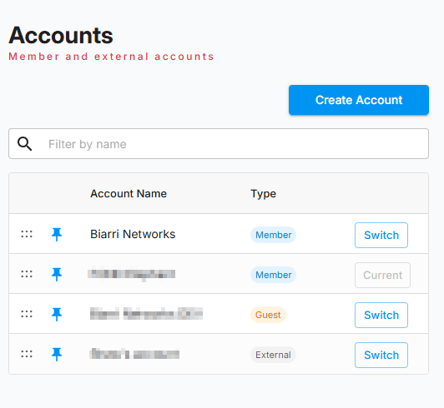
If you are not an administrator, you can identify your own role within a workspace by navigating to https://staging.biarrinetworks.com/accounts. This will list all FOND workspaces that you have access to and your role within them.