![biarri-networks-logo.png]](https://fondhelp.biarrinetworks.com/hs-fs/hubfs/biarri-networks-logo.png?height=40&name=biarri-networks-logo.png)
Exporting lets you use your FOND data outside FOND. For example, you can edit a design in your GIS or CAD tool, or add the bill of materials (BOM) to a spreadsheet. You can export from any project type. The options available depend on whether it’s a Collaboration, Fiber Planner, or other project.
Export your project
- Open the project. For a plan or design, make sure generation has finished first.
- In the menu bar, click Project › Export.
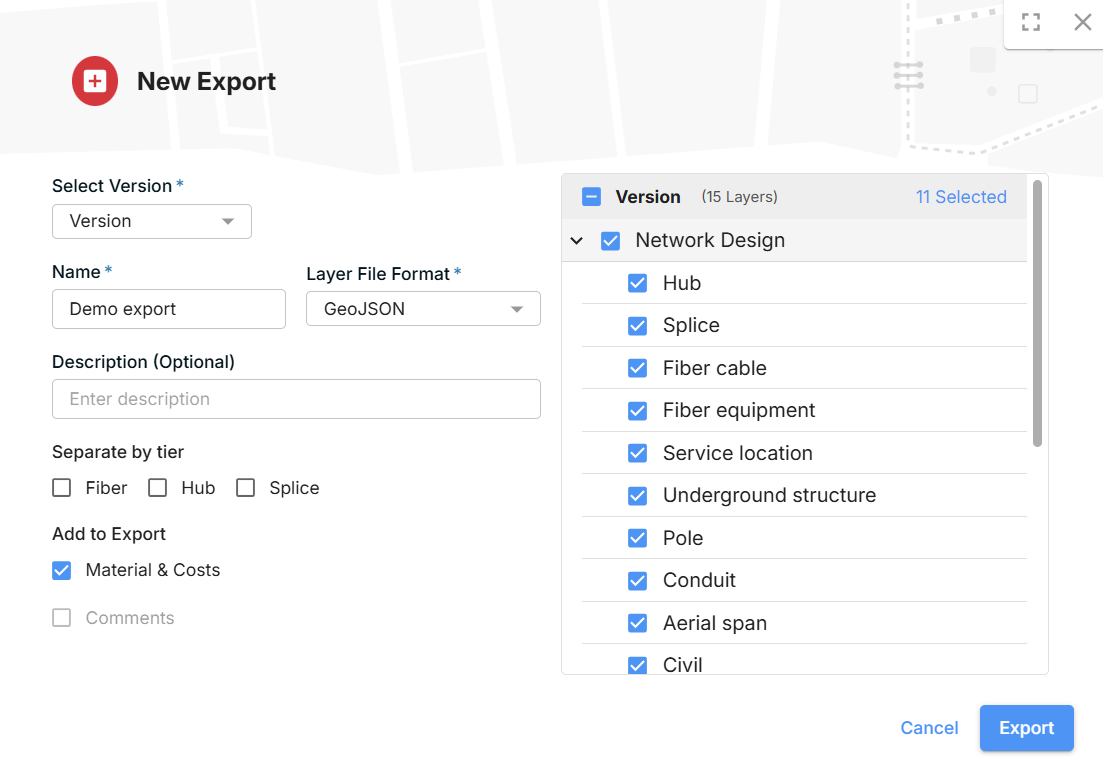
- Click Create new export.
- Tick the layers you want to include.
- Choose any options for your project type (see below).
- Enter a name for the export, choose a file format (Shapefile, KML or GeoJSON), and optionally add a description so you can tell exports apart later. Avoid special characters such as commas in the export name.
- Click Export.
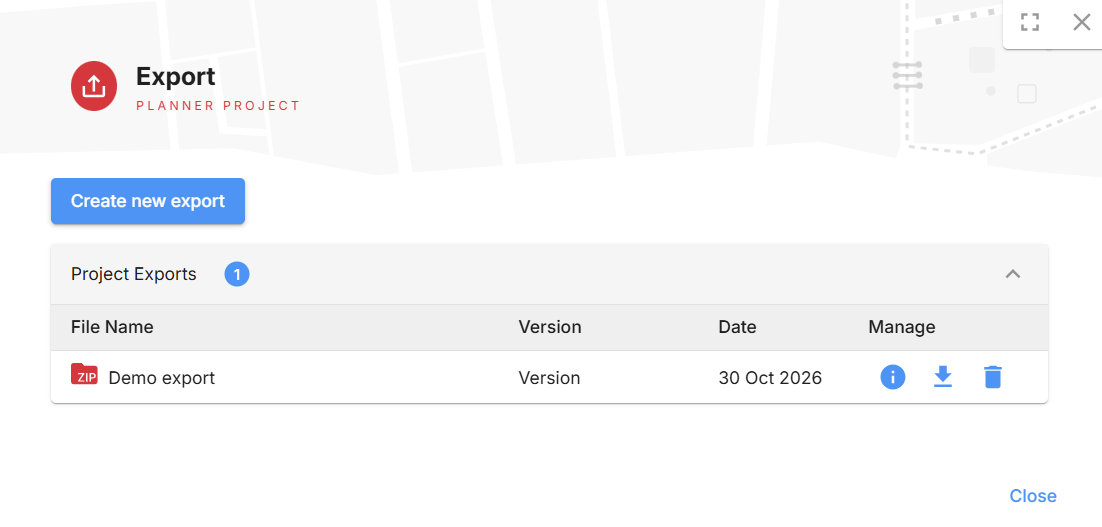
When the export is ready, it will show as available to download in a zip format.
Options by project type
Collaboration projects: choose which layers to include.
Fiber Planner projects:
- Separate layers by tier. Split the hub, splice and fiber cable layers into separate drop, distribution and feeder layers. This is useful in tools where it’s hard to tell the tiers apart within a single layer.
- Materials & Cost. Include the BOM with your export.
Other ways to get your outputs
- Interactive BOM: explore costs and quantities inside FOND before you export.
- Attachments: files you’ve attached to a project are downloaded separately. See Add and export project attachments.