![biarri-networks-logo.png]](https://fondhelp.biarrinetworks.com/hs-fs/hubfs/biarri-networks-logo.png?height=40&name=biarri-networks-logo.png)
There are a few ways to influence FOND to achieve a design that is both cost effective and quick to produce, but also matches reality:
- Path preferencing
- Moving hubs
These are detailed below.
Moving hubs
One a design has been generated, you can adjust the locations of Distribution Hubs and Drop Hubs.
- Select 'Move hubs'
- Click and drag a hub to a preferred location
- Select 'Finish' then 'Update design'
The design should run a bit faster the second time because FOND doesn't need to spend time considering where the best places for each Drop Hub and Distribution Hub are - they've already been chosen.
FOND will not place hubs outside of your chosen locations unless it absolutely needs to create additional ones, e.g. to satisfy a max drop cable length rule.
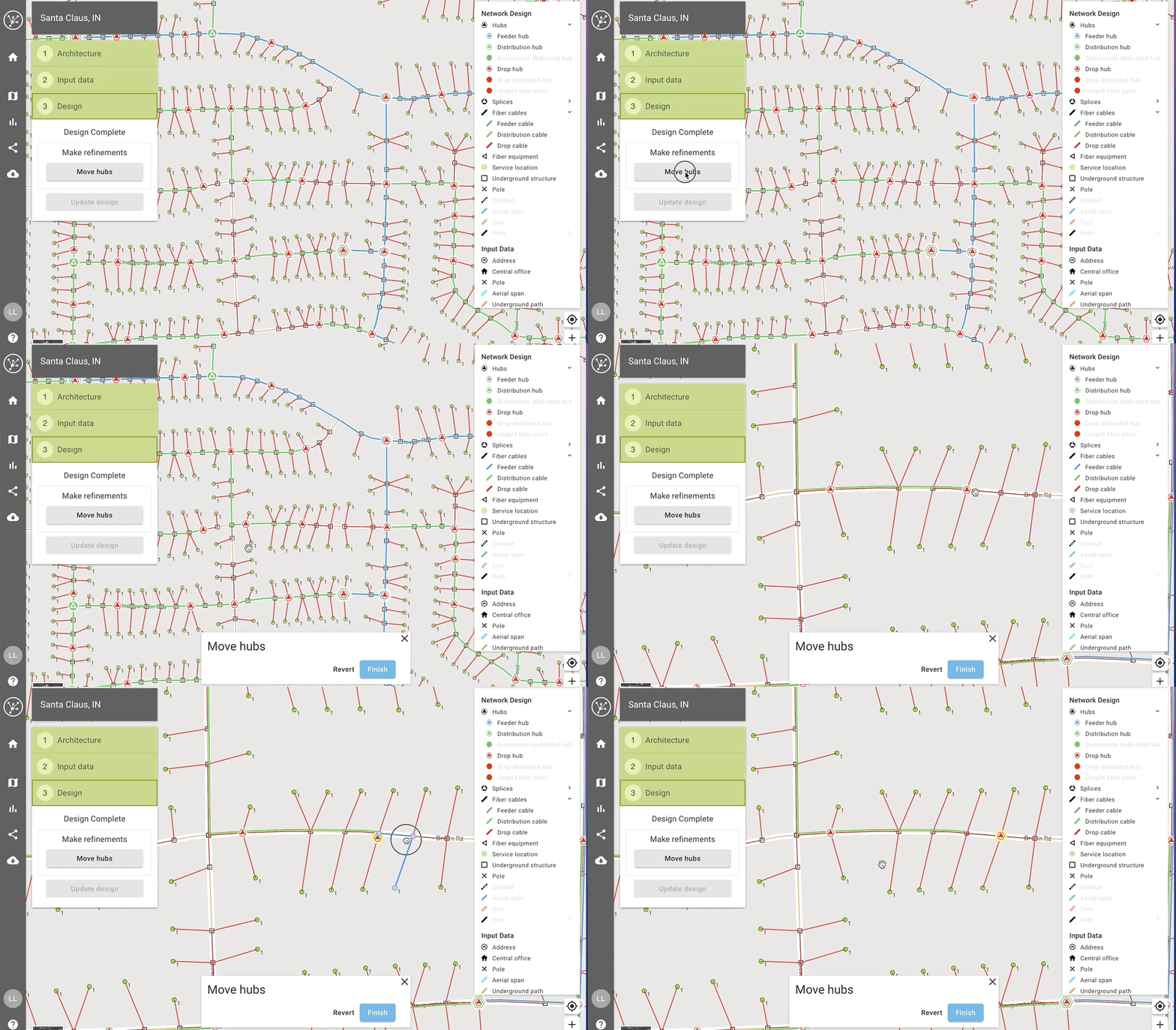
Here are some guidelines for moving hubs:
- When moving a Drop Hub, be careful not to move it too far away from the address that it is serving. If it's further than the maximum drop length, FOND will need to create a new hub in order to service the address.
- When moving any hub, it's best to keep it within the same 'footprint' if possible. For example, a Distribution Hub is best moved to another location along the path of its downstream distribution cables. If you do need to move a hub outside of its cable footprint, be careful not to move it onto the footprint of another hub. This can cause a non-disjoint design and a design failure.
Path preferencing
You can tell FOND whether to 'Prefer' or 'Avoid' paths when it generates a design. Read more at Path preferencing.