![biarri-networks-logo.png]](https://fondhelp.biarrinetworks.com/hs-fs/hubfs/biarri-networks-logo.png?height=40&name=biarri-networks-logo.png)
A workspace is where your team works together in FOND. It usually belongs to one organization, and it holds everything that team shares: projects, folders and reports. Each workspace has its own members, its own subscription, and its own seats.
Note: In some places, FOND calls workspaces accounts, for example on the accounts page at fond.biarrinetworks.com/accounts. Both words mean the same thing.
Belonging to more than one workspace
You can belong to several workspaces at once. This is common if you work with more than one organization, such as your own company plus a client or delivery partner. Your work stays separate in each workspace, and you can switch between them at any time.
Your role can be different in each workspace. For example, you might be an Administrator in your company’s workspace and a Guest in a client’s. Your role decides what you can do there, such as whether you can use a seat or see data shared with the whole workspace. See Workspace Roles and Permissions.
Someone can also share individual projects with you without making you a member of their workspace. In that case you have External access to just those projects.
Switch between workspaces
When you log in, FOND opens the workspace you used most recently. To change workspaces:
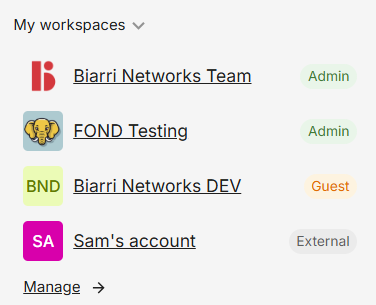
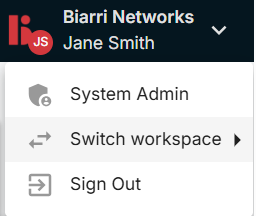
- Click the workspace name at the top right of the page, or My workspaces in the left panel of the home page.
- Choose the workspace you want to work in.
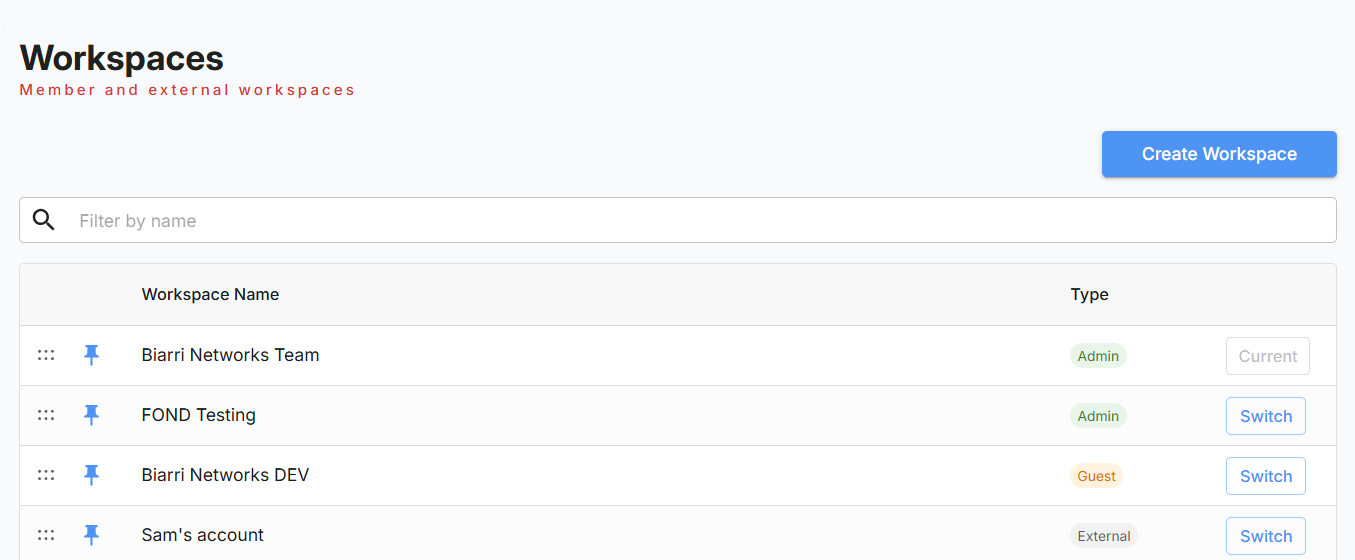
The list shows every workspace you belong to, with a badge showing your role in each. Workspaces can have their own logo color or image, which makes them easy to tell apart.
|
|
 |
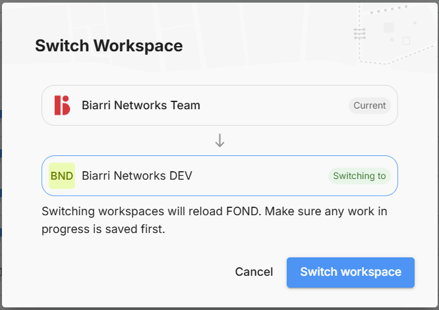
Any time that you switch workspaces you will be prompted to confirm.
Join a workspace
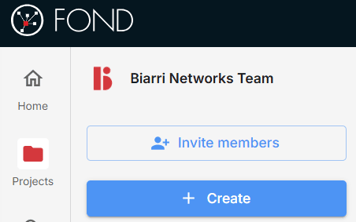
If your organization already uses FOND, ask one of its workspace administrators to invite you. Administrators can invite people from the FOND home page using the Invite members button.
 You will receive an invitation by email and also within FOND itself. This should automatically appear at the top of the FOND home page, but can also check up on pending invites at Settings > Profile > Pending Invites.
Create a workspace
If your organization doesn’t have a FOND workspace yet, you can create one:
- Go to fond.biarrinetworks.com/accounts.
- Click Create Workspace and enter a name. Your organization’s name is usually best.
- Invite your teammates.
To create projects, the workspace needs a subscription with seats. See FOND Subscriptions.
Tip: You can’t rename a workspace yourself. To change its name later, email fondhelp@biarrinetworks.com.
See all your workspaces
fond.biarrinetworks.com/accounts lists every workspace you belong to and your role in each. It’s also where you create new workspaces.
For administrators
Workspace administrators can:
- Invite and remove users
- Assign seats and change roles
- Manage the subscription
- Set the workspace logo
- Choose default currency and units for new projects